

Librarians and authorised resource staff
Library
Before you start: Create catalogue titles, accessioned copies, member records and lending rules before issuing items.
Open LibraryActions depend on your school’s enabled modules, your permissions and the record’s current status.
Find your way around
Catalogue · Desk · Loans · Holds · Members · Resources · Settings. Select these tabs inside the module; scroll the tab row sideways on a phone.
1. Build the catalogue and membership
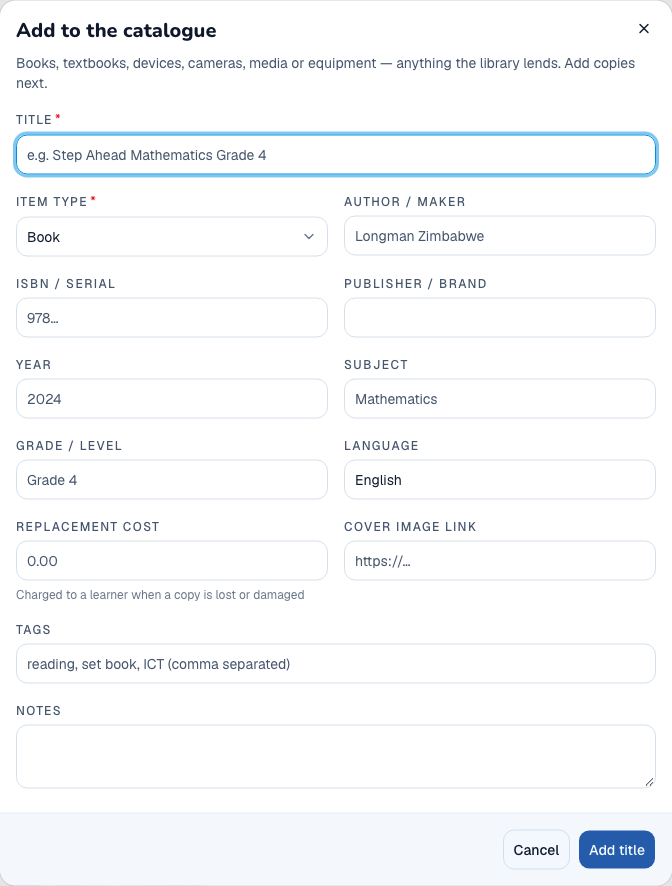
- Open Catalogue and add a title with its type, author/maker, subject and replacement cost.
- Open the title and add physical copies with unique accession numbers and shelf locations.
- Open Members and add or link the eligible learner/staff member.
- Review Settings for the applicable loan periods and borrowing limits.
What to check: Available copies and eligible members can be selected at the lending desk.
2. Issue, renew and return an item
- Open Desk and select the member.
- Find or scan the copy’s accession number and review its availability and lending terms.
- Issue the copy and verify its due date.
- Use Loans for renewal where permitted, checking the revised due date.
- On return, confirm Return item and inspect the copy’s availability and any charge shown.
What to check: The loan accurately reflects who holds the copy and whether it has been returned.
3. Manage holds and overdue loans
- Open Holds and place a hold for the member and title.
- Review waiting and ready-to-collect holds.
- When a copy returns, use the available fulfilment action for the intended member.
- Use Loans to identify overdue items and review recipients before sending reminders.
- Verify hold and delivery status after each action.
What to check: Holds and reminders are associated with the correct title and member.
4. Record loss and share teaching resources
- Open the title/copy and select the relevant lost or damaged action.
- Enter what happened and review any proposed charge before confirming.
- Check the learner’s Fees record if a charge was raised.
- Open Resources to add a resource title, type, safe link, level and tags.
- Save and open the resource link to verify it before teachers use it.
What to check: Copy status and charges remain linked; digital resources are discoverable for teaching.